
Mistakes happen to everyone. A moment’s inattention is enough and accidentally setting too low a price will be saved in history. An error resulting from incorrect software operation can also occur: some plugins can set a product’s price to zero for a fraction of a second. That will also go into history.
This article describes how to correct such errors. Fortunately, if you’re using WC Price History, it’s very simple.
Price history editing is possible using WC Price History Pro, an add-on to the free WC Price History plugin.
You can purchase it by clicking this link.
You’ll make all the changes below directly on the WooCommerce product edit screen in the Price History Editor tab:
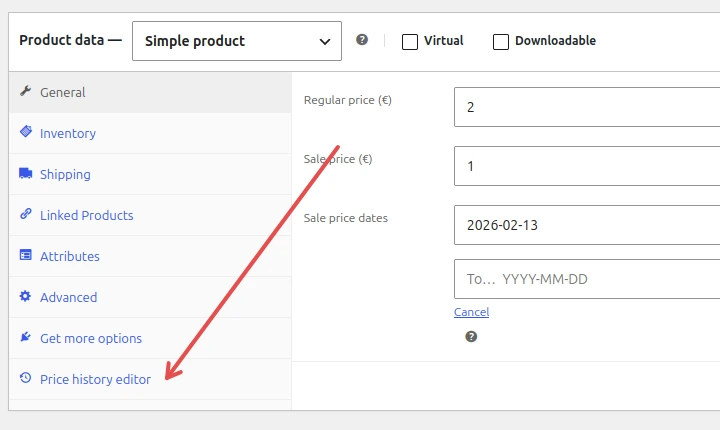
How to edit historical price
- Open Price history editor menu
- You will see the list of historical prices:
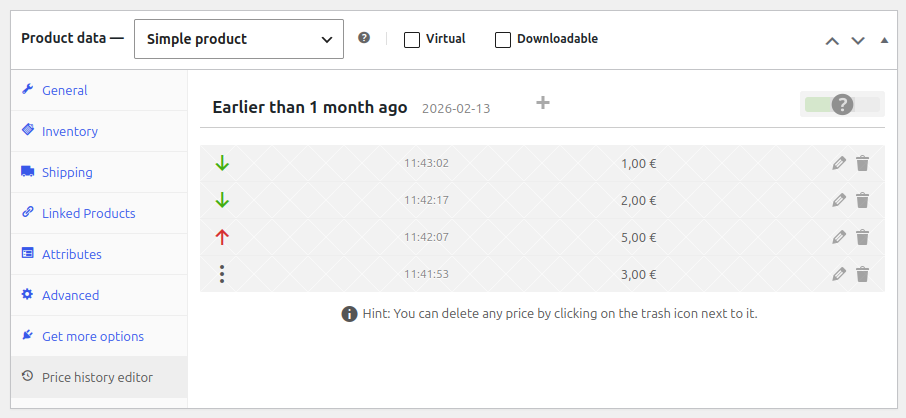
- Click the pencil icon next to the price you want to alter
- This will open price history edit section:
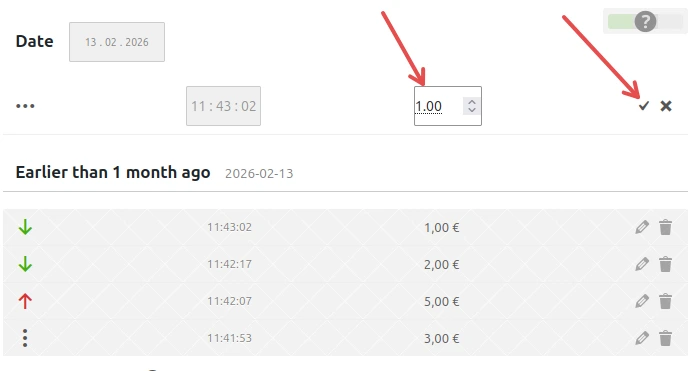
- Adjust the price and click check sign to confirm
- Update the product (click the Update button on product edit screen)
Done!
How to delete price from history
- Click the trash icon next to the price you want to remove from history:

- Click the check sign to confirm
- Update the product (click the Update button on product edit screen)
How to add a price in between other prices in history
- Mouse over the price history list
- You will see the plus sign in between the historical prices
- Click the one where you want to add a new price to the history:
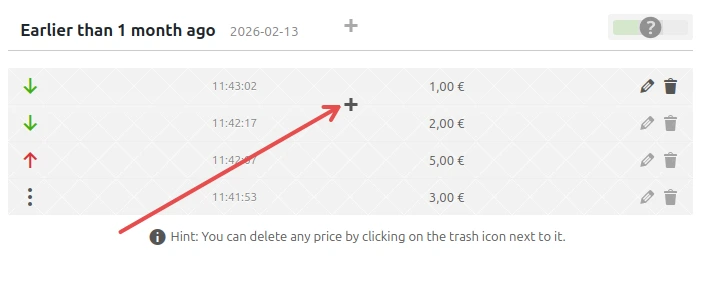
- This will open price history section, but this time fields for date and hour will be editable:
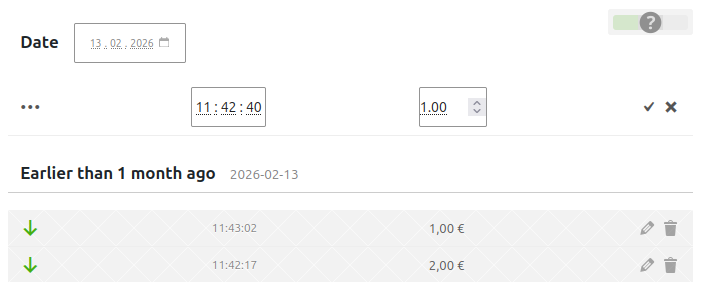
- You can adjust price and time. The time preselected is exact moment in the middle between the previous historical price and the next one
- Click the check sign to confirm addition
- Update the product (click the Update button on product edit screen)
How to add price at any date and time
You can do this as described above (and adjust the date and time) or click Add entry plus icon

on the top of the list of historical prices. This will open the same price editing section.